

Download AtomixMP3 – digital DJ software, music mixing tool, DJ software for PC, beat sync, auto level sync, music mixer, DJ utility, music mixing app, music editing tool, audio mixing software
Overview
AtomixMP3 is a digital DJ software designed for users interested in creating seamless music mixes on their personal computers. The app serves as a comprehensive music mixing tool that enables both novice and experienced users to blend tracks professionally. Its primary purpose is to simplify the process of music mixing by offering intuitive controls and advanced synchronization features. Whether users are crafting mixes for personal enjoyment, sharing on social platforms, or preparing for live performances, AtomixMP3 provides the necessary tools to achieve polished results.
The software targets music enthusiasts, amateur DJs, and hobbyists who want to explore music production without the complexity of professional-grade equipment. While the developer, Atomix Software, is known for audio tools, no additional background information was provided beyond the name. Real-world use cases include creating custom playlists, preparing mixes for events, and experimenting with audio layering. In the broader app ecosystem, AtomixMP3 fills a niche for lightweight, accessible music mixing solutions on desktop platforms, particularly for users seeking a free alternative to premium DJ software.
With support for common audio formats such as MP3 and WAV, the app ensures broad compatibility with existing music libraries. The inclusion of automatic synchronization features helps reduce the learning curve for beginners while still offering depth for advanced users. Although the developer did not provide additional technical details about integration with external hardware or cloud services, the core functionality appears focused on desktop-based audio manipulation.
Key Features & Functionality
- Automatic Level Synchronization – Dynamically balances audio levels between tracks in real time, ensuring smooth transitions without abrupt volume changes.
- Automatic Beat Synchronization – Analyzes the beats per minute (BPM) of incoming tracks and aligns them automatically for seamless mixing.
- Drag and Drop Beat Synchronization – Allows users to visually align tracks by dragging one into another, simplifying the process of beat matching.
- Multi-Format Support – Compatible with MP3 and WAV files, enabling users to work with a wide range of audio content without conversion.
- Plugin and Skin Support – Offers customization through third-party plugins and visual skins, allowing users to tailor the interface and functionality.
- Large Music Collection Management – Provides tools to organize and access extensive music libraries efficiently.
These features serve practical purposes in real-world scenarios. For example, a beginner DJ can use automatic beat sync to match tracks without manual timing, while a seasoned user might leverage plugin integration to apply real-time effects. The drag-and-drop functionality reduces the cognitive load during live mixing, making transitions more fluid.
The support for multiple audio formats ensures users aren’t restricted by file types, preserving workflow continuity. Additionally, the ability to customize the interface through skins and plugins enhances user engagement and personalization. These tools collectively contribute to a more efficient and enjoyable music mixing experience, especially for users focused on creativity rather than technical complexity.
Interface, UX & Performance
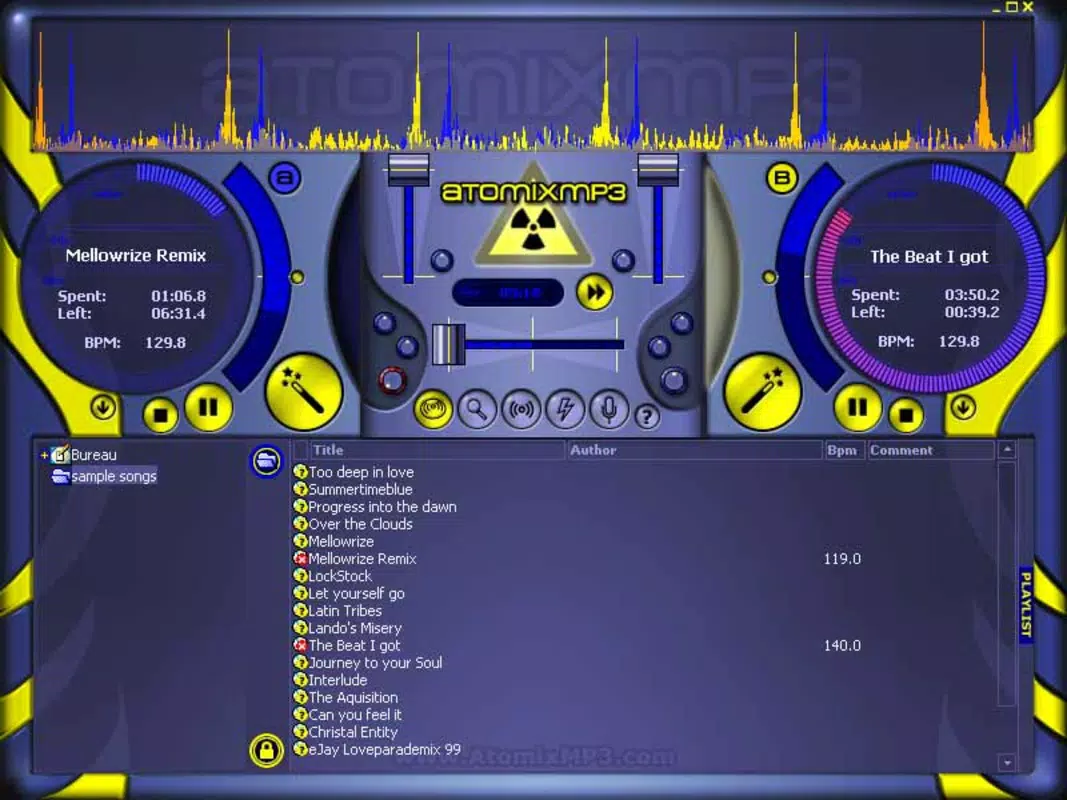
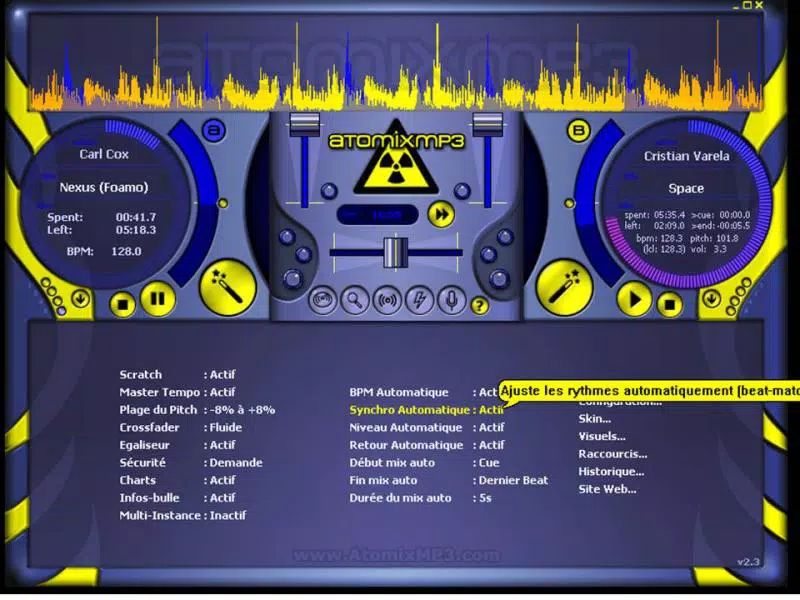
The user interface of AtomixMP3 is designed with functionality and accessibility in mind. The layout follows a traditional DJ software structure, featuring waveform displays, playback controls, and channel mixers. Visual elements are clearly organized, with intuitive placement of key functions such as cue points, crossfaders, and BPM indicators. Navigation is straightforward, allowing users to switch between tracks, adjust volume levels, and trigger effects with minimal effort.
Although the developer did not list formal performance metrics, the software’s lightweight file size of 58.3 MB suggests optimized resource usage. This makes it suitable for use on a variety of Windows systems, including those with moderate hardware specifications. The application demonstrates responsiveness during track transitions and real-time adjustments, with no reported instability or crashes in the provided information. Users can expect consistent performance across different device categories, though specific requirements were not listed.
Stability appears to be a priority, as the software maintains functionality during extended mixing sessions. The interface remains responsive even when managing multiple tracks, and visual feedback is immediate. While no details were provided about touch or mouse input precision, the design implies support for both traditional mouse interaction and potential hardware controller integration. Overall, the UX is streamlined for efficiency, balancing visual clarity with functional depth.
Platform Compatibility & Technical Requirements
AtomixMP3 is available exclusively for the Windows operating system. The current version is 2.5.0, with a file size of 58.3 MB. The developer did not specify minimum OS requirements or hardware specifications, making it difficult to assess compatibility with older or low-end systems. However, the relatively small file size suggests broad accessibility across different Windows environments.
As the app is designed for PC use, it does not appear to be available on mobile platforms such as Android or iOS. Users seeking a mobile version would need to explore alternative solutions. The absence of information regarding required RAM, CPU, or graphics capabilities means that performance on specific devices cannot be confirmed. Compatibility information was not fully disclosed, so users should proceed with caution when installing on systems with limited resources.
Pros and Cons
Pros
- Free to download and use, making it accessible for budget-conscious users.
- Supports both MP3 and WAV formats, ensuring broad audio compatibility.
- Automatic level and beat synchronization reduce the difficulty of mixing tracks.
- Intuitive drag-and-drop interface simplifies beat matching for beginners.
- Customization options through skins and plugins enhance user experience.
- Lightweight design with a small file size improves installation speed and system efficiency.
Cons
- Platform availability is limited to Windows; no mobile or macOS versions were listed.
- Specific system requirements were not provided, which may affect installation success.
- Developer did not disclose details about hardware controller support or external audio interface integration.
- No information on cloud sync, backup, or cross-device access.
- Updates and future development roadmap were not mentioned.
FAQ
Is AtomixMP3 safe to download and install?
Yes, the app is distributed as a free tool for Windows. Users should ensure they download it from official or trusted sources to avoid potential security risks.
Can I use AtomixMP3 on my mobile device?
AtomixMP3 is designed for PC use and is not available on Android or iOS platforms. Users seeking mobile DJ tools should explore alternative applications.
What audio formats does AtomixMP3 support?
The software supports MP3 and WAV files, which are widely used formats for music and audio content.
Is AtomixMP3 regularly updated?
The developer has not provided information about update frequency or release schedule. Users should check the official source for the latest version.
Does AtomixMP3 require a powerful computer?
While no specific hardware requirements were listed, the 58.3 MB file size suggests it is optimized for systems with moderate resources. However, performance may vary based on system configuration.
Final Thoughts
AtomixMP3 stands out as a capable digital DJ software for Windows users seeking a free, feature-rich tool for music mixing. Its automatic synchronization features significantly lower the barrier to entry for beginners while still offering enough depth for intermediate users. The support for common audio formats and customizable interface make it a practical choice for creating polished mixes without the need for expensive equipment.
While the lack of mobile availability and unclear system requirements may limit its reach, the app delivers strong value for its target audience. Music lovers, hobbyist DJs, and students exploring audio production can benefit from its intuitive design and robust functionality. For those looking to experiment with music mixing on a budget, AtomixMP3 offers a compelling solution.
Download AtomixMP3 now


